Technology · Field notes
How AI Recognizes a Historic Building from a Photo
The model is not comparing your photo to a shelf of postcards. Here is what it actually uses, where it goes wrong, and why the result is a prediction rather than a fact.
A recognition app sends the photo to a multimodal AI model that reads shape, material, lettering and setting, then combines that with whatever context is available: GPS, a museum label, or nothing. The answer is a prediction. Distinctive buildings are usually easy. Repeated styles, copies, heavy restoration and tight crops are where wrong answers come from.
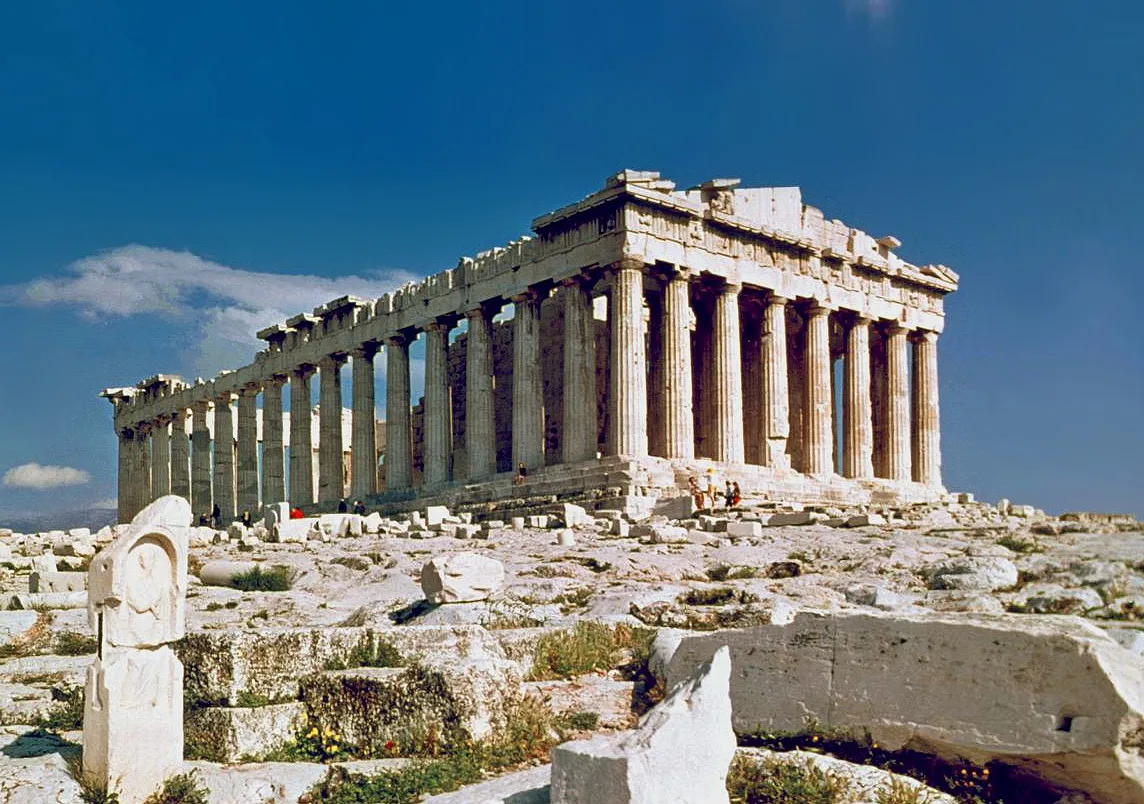
What does the model actually see?
An image, not a building. The picture is divided into small patches, and the model relates those patches to patterns learned from a large set of images and text. Multimodal models of this kind can describe materials, read inscriptions and match architectural features, because they handle an image and a question in the same pass.
What they do not carry is a verified map of every building on earth. That distinction matters when you read a confident paragraph of description: fluent writing is not the same as identification, and the two can come apart.
Where does the context come from?
Three inputs matter, in order of reliability.
- The photo. One frame is the main evidence. A clear silhouette, visible material and a readable sign give the model much more to work with than a cropped corner.
- Location, if you allow it. Vestigia passes your coordinates when permission is granted, and the model is told to identify only landmarks near that point. If you decline, the scan still runs, with less to narrow the answer.
- The label, in museum mode. Label text outranks visual guessing. If the placard is not legible, the app returns a low-confidence answer that describes the object and does not invent a name, rather than filling the gap with a guess.
Why do similar buildings get confused?
Because architecture repeats. A neoclassical courthouse, a bank and a museum can share columns, pediments and proportions, which is exactly the kind of pattern a model is trained to notice. Copies make the problem worse: the Pantheon's dome has near-copies at Belle Isle House in England and the Rotunda of Mosta in Malta, and Nashville's Parthenon is a full-size reconstruction first built in 1897.
Restoration adds a second layer. Cleaned stone, a rebuilt roof or a new facade can remove the marks that identify a specific building, and a tight crop can remove the setting that would have settled the question. In those cases the model is doing what a person does without a map: matching the closest visual memory.
What does the confidence level mean?
In museum mode the app returns HIGH, MEDIUM or LOW. The level describes how clearly the label could be read and how much of the object's identity the text supports. It is not a grade of art-historical importance, and a HIGH result can still repeat a detail the museum itself got wrong.
Landmark mode does not return a confidence score at all. It returns an identification, a description and a set of facts, and you judge that against what you can see in front of you.
What improves a scan?
- Fill the frame with the building, not with the street.
- Include the roofline or one distinctive feature.
- Avoid shooting straight into the light.
- In a museum, get the whole label into the frame.
- If the result looks wrong, move and scan again from another angle.
- Check the name before trusting the dates attached to it.
Read the result as a hypothesis. Pick one detail the description claims, then look at the building and check whether it is actually there.
What happens to your photo?
The photo is used to identify the structure. Vestigia does not use personal landmark photos to train general models without separate consent, and the app does not perform facial recognition. Location is optional and is not used for continuous tracking. The full wording is in the privacy policy.
Why the app still expects you to look
Recognition is a starting point, not a replacement for looking. The useful part of a scan is the prompt it gives you: a name, a date, a material, a detail to find. That is why the result screen points at the fabric rather than asking you to accept a paragraph. If you want the app's own explanation of modes and limits, the help center covers it, including the difference between landmark and museum scans.
A good test is the Parthenon itself: scan it, then find the curvature and the inward lean of the columns, the corrections that no photograph quite explains. The model can name the building. Only your eyes can confirm the detail.